I just built my own AI Command Center in 2 days, and expect more builders to do the same.
After using LLMs virtually every day for over a year, I’ve been amazed by what these tools can do, but also aware of the UX friction and feature gaps that still persist.
One growing challenge for knowledge workers is that work is getting more fragmented across a growing number of applications. I frequently jump between Claude, ChatGPT, Gemini, or Grok – depending on the use case. Meanwhile, every SaaS company is rapidly adding agentic AI capabilities of their own, creating yet another place where AI workflows can be built and actioned.
This isn’t a new software phenomenon. Middleware companies have long existed to address fragmentation issues: providing a single control panel to resolve the security, productivity, and quality inconsistencies that stem from a broad app ecosystem.
Thanks to app development platforms like Replit, even non-engineers can now build their own middleware layer: personalized to their own specific work tasks, business context, and judgment. This “AI Command Center,” allows for the centralization of all AI-powered workflows, context engineering, and prompt management from a single destination.
But why go through the hassle of building something like this yourself? Aren’t LLMs and AI platforms good enough already? I’ve found that most AI platforms today share some noticeable feature gaps, which can now be built quickly with modern app development tools. Below, I’ve outlined the three common gaps I kept running into, and the solutions built for each.
Gap 1: Prompt Engineering is Infrequently Measured
Many teams today build prompts through iteration: run it a few times, eyeball the outputs, and adjust. Systematic quality evaluation commonly exists at enterprises or AI-native organizations, but so many teams are still operating without any form of evaluation for their workflows or AI outputs.
Without a rubric, it’s hard to tell whether a prompt is actually well-constructed or whether you just got lucky on a particular output. As a consequence, output quality from Projects, Skills, GPTs, and Gems can vary widely, creating high levels of rework for the people they’re supposed to serve.
This matters more than it sounds. A vague prompt that works 80% of the time will fail 20% of the time. In high-stakes workflows, that failure rate is time-consuming and potentially expensive. Worse, you don’t know which dimension of the prompt is weak. Is it the context? The instruction logic? The output format constraints? Without a framework, you’re just guessing.
The result is a fleet of prompts or workflows that function well enough in demos but break down in production. I needed a better method to assess prompt effectiveness and consistency, and even the most popular AI tools aren’t offering prompt evaluation natively in their apps.
Gap 2: Orchestration Platforms Freeze Your Workflows
Automation conversations with ops teams often mention tools like n8n, Zapier, and Gumloop – which are incredibly powerful tools. If you need a stable, repeatable automation that doesn’t change much, they work incredibly well. They deliver consistency and give you control over model selection which helps when managing costs or performance.
But in most businesses, processes evolve rapidly. Consumer preferences shift. Messaging changes. New products launch. And when a workflow starts underperforming, diagnosing the root cause (is it the model, the prompt, or the context?) can be a slow and tedious process when using these multi-step automation systems.
There’s also a deeper problem: no orchestration platform connects the evolving knowledge in your business to the prompts that power your workflows. That connection has to be made manually via intelligent context architecture, every time, by whoever has enough insider knowledge to know something changed. Often, that person is already busy.
Drift between what your business knows and what your AI workflows use is inevitable. I needed a way to keep prompts and context current without constant manual intervention, and the tools on the market weren’t built for that job.
Gap 3: LLMs Treat Your Business Context as a Black Box
This is the most hidden challenge of them all. The LLM frequently doesn’t know your company’s positioning, your role, your voice, your client history, or the seventeen product nuances that separate a useful response from a generic one. And when past context is factored in, there’s no visibility into what’s being weighted or why. Relevant details and stale ones can get mixed together unpredictably.
It feels like I spend 20 – 30% of every session priming the model with context I’ve told it before. Prompts that work in week one break down by week six because the context has drifted. Today, no LLM offers context visibility or configurable context controls. You can start a new chat to reset, or take the time to build a thoughtfully produced skill.md file… but that’s about it.
I needed visibility into the context informing my LLM outputs, along with some control over that architecture to drive more consistent results. I didn’t want to have to manually construct all context myself, but I did want the option to remove stale context I no longer reference.
The Moment that Made “Building” the Right Choice
In the past, I would have simply let these gaps slide – but powerful new app-building tools mean that I don’t have to anymore. Building software no longer requires being a full-stack engineer. Platforms like Replit have matured to the point where you can describe a complex, production-grade application in natural language and ship something real. The ceiling on what an individual builder can create has risen dramatically!
That shift matters for power users with specific or non-standard needs. If no existing tool solves your problem precisely, you can now build the one that does. That’s what I did, and the process quickly reinforced that anyone else can too.
To close the three gaps above, I built a personal AI operating system designed from the ground up to address each one of the issues outlined above. Here’s what the architecture looks like and the logic behind the key build decisions.
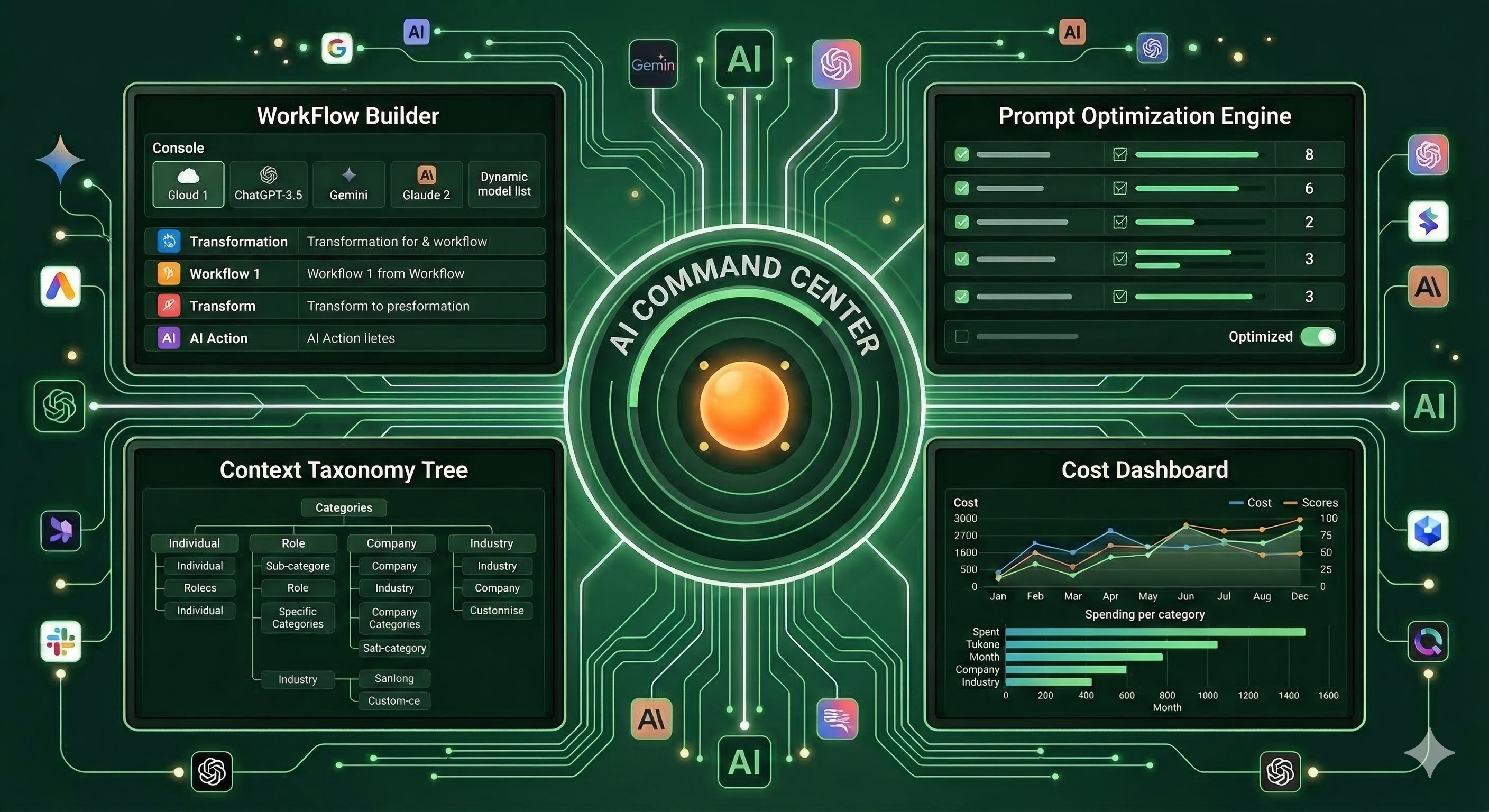
In a nutshell, this “AI Command Center” centralizes and executes all of my AI-powered workflows and related operations. It combines the power of an AI orchestration platform with the usability of an LLM, plus more prompt- and context- optimization controls that are hard to find in other platforms. Here’s exactly what’s inside:
Workflow Builder with Natural Language Generation
Like an AI orchestration platform, the Command Center lets me describe a workflow in natural language and the system generates it: individual steps, auto-architected prompts, branching logic, model assignment suggestions, and step-by-step data flows. Ambiguity detection runs before the build, so if my description is too vague – the system generates clarifying questions before wasting API calls on a workflow that misses the point. That “measure twice, cut once” forcing function has saved me time on wasted iterations, and helps slow down the user zooming through their work day.
Each step allows me to pick a model from Anthropic, OpenAI, Gemini, or xAI. This matters for cost and quality control. A lightweight classification step doesn’t need Opus 4.6. But a nuanced editorial step might. Per-step model selection lets me optimize the cost-quality tradeoff at a granular level, and adapt model selection when one LLM performance starts to struggle.
Context Taxonomy Tree: Business Knowledge as a Structured Asset
This is the piece that doesn’t exist anywhere else in a single product (other than the back end of an LLM, which users can’t see or control). I built a “taxonomy tree” – a hierarchical knowledge base organized around four default dimensions: Individual, Role, Company, and Industry. Every branch stores structured content with version history, character limits, and freshness indicators. By building a visual representation of my context that I can add to, delete, or edit means that I now have more control over the context driving prompt outputs.
When you build a new workflow, the system analyzes each step and automatically injects relevant taxonomy branches. Not by dumping everything in, but by running a relevance pass first, scoring each candidate branch, and including only those that clear the threshold. For a single user who might use a few dozen automated sequences at most, this remains a manageable process.
But who has time to build context trees manually? No one, which is why I built the Context Analyzer, an important piece to this puzzle:
Context Analyzer: The Knowledge Base that Builds Itself
Context engineering is one of the harder challenges in AI operations. If you include too much context, the most relevant details can get diluted. But if you include too little, the outputs lose relevance and consistency. Today’s LLMs try to handle this balance behind the scenes, but the user has very limited controls or visibility into how it works.
To address this, I built a Context Analyzer that ingests files or free-form text. When I hit “Analyze,” it runs a two-step extraction pipeline: first filtering for relevance, surfacing only context that would actually influence existing workflows. Next, it filters for redundancy – removing overlap with what’s already exists in the taxonomy tree. This means that AI is taking the first pass on building the context hierarchy for me (like an LLM would today). But I can exercise control over what information to feed it, and can manually remove branches that are no longer relevant. It also means that no context is captured unless it has relevance to workflows in production, which helps keep the taxonomy tree from becoming too unwieldy.
Over time, the taxonomy tree becomes a living knowledge base, getting more accurate the more I use it. I can manually add or remove details into it, but I can also let AI build and maintain this for me. By curating what goes in, I stay in control of the context informing my workflows.
One-Click Prompt Optimization Engine
I always found it mysterious why LLMs and orchestration platforms don’t make prompt optimization more turnkey. In the AI Command Center, every workflow step includes a prompt optimization button. Clicking “Evaluate” sends the full assembled prompt, instructions plus injected context, to an evaluator LLM running a 10-criteria rubric across three dimensions: instruction design, consistency, and usability. (I borrowed this framework from a previous build; you can read more details here.)
One of the 10 measures assessed is “Context Inclusion.” The optimization engine detects when the prompt includes minimal context branches, and will search for relevant information in the “taxonomy tree” as part of the optimization step.
Also notable: the optimization flow is surgical, not a full rewrite. A 30% change budget constrains how much the optimizer can modify. It is programmed to fix the lowest five scores. This preserves the original intent of the prompt, and ensures fine-tuning happens gradually instead of all at once.

Full Cost Transparency with Every Workflow
Cost transparency may sound like a minor feature, until you notice how conspicuously absent it is from most AI platforms today. In LLMs and orchestration platforms – you can see spend by month or sometimes by day if you’re lucky. The dashboard I built shows exactly what I’m spending by day, by month, and even by workflow and workflow step. I can see precisely how many tokens each workflow step consumes and how many AI runs happened that day. This level of granularity helps me scale back activity or revise workflows before costs compound, and make deliberate tradeoffs between prompt complexity and price.
A Few Honorable Mentions
A few additions I hadn’t originally planned for, but turned out to be genuinely useful:
Activity Log: Finding past projects, outputs, files, or conversations across multiple LLM sessions is harder than it should be when I use it so frequently. Having an activity log shows the exact time and workflow that ran – whcih has been a simple but effective organization tool.
Connectors: For now, my focus is on AI workflows, but the architecture supports expansion into SaaS apps like Google Suite, Slack, Salesforce, Jira, Notion, and more. Replit currently supports 47 connectors and over a dozen MCP servers. Phase 2 will be about automating actions that extend beyond this application entirely.
How to Build Your Own AI Command Center in 2 Days
What made this project possible is that I didn’t have to write a single line of code. I relied on a handful of tools and a process I’d repeat without hesitation. Here’s how it went:
Draft a Lightweight PRD: I started with a 1.5-page document outlining the core functionality I wanted to create. Calling it a “PRD” is generous. It was more of a directional skeleton, something concrete enough to hand off to AI for gap-filling.
Invite Collaboration: After completing the skeleton, I asked Claude Cowork to surface questions about blind spots, assumptions, or gaps in the instructions. Letting Claude guide the questions, and me steer the ship kept the build tightly aligned to the vision and goals of this project.
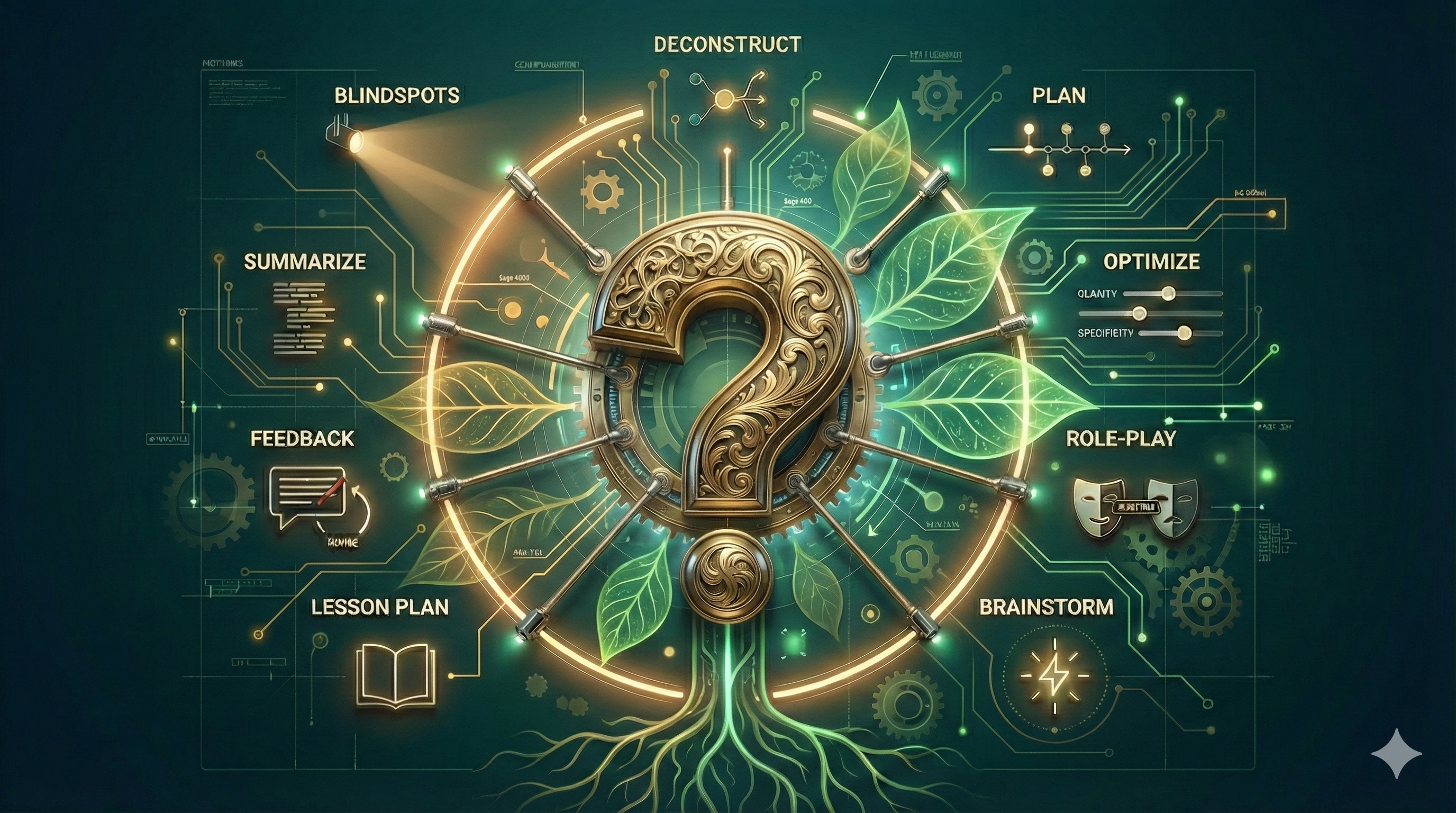
Ask Coaching Questions: I now commonly ask LLMs “coaching questions” on big projects. Questions like: “What’s missing here?”, “Is this your best?”, or “What feedback would [Role 1], [Role 2], and [Role 3] give us?” I don’t need to know the answer, but it helps LLMs scour for improvements in their own work. Simulating a committee of perspectives is a fast way to surface blind spots before they become build mistakes.
Spark Ideation with Comparative Research: After Claude Cowork expanded the PRD document to 30 pages, I asked it to reference functionality from best-in-class AI applications to identify any feature gaps worth incorporating. It surfaced strong ideas around error handling, cost management, connector workflows, and a workflow template library. I found about a third of its feature requests to be worth including.
Deconstruct for Replit: A 55-page PRD is too long for a vibe-coding platform to process in one shot (or so the internet tells me). I asked Claude Cowork to break the project into a phased build approach and generate focused prompts for each phase. It produced 6 phases, each of which took 30–45 minutes on Economy mode in Replit with minimal intervention from me.
Fine-tune system prompts: The working prototype needed prompt refinement. I built a Claude project to optimize the primary system prompts, using the full 55 page PRD as the knowledge file. That accelerated the tuning process considerably.
Surface Functionality Gaps: Even with detailed instructions, some features were missing some key connections or interdependencies. I used Replit’s Plan mode to identify and close those gaps, adding connectivity across features so they could work more in unison and update multiple sections in the UI automatically.
What this Means for Productivity Everywhere
I built this AI Command Center for myself. But the problems it solves aren’t personal quirks. They’re the same gaps that explain why AI tools so often underperform in production.
Context blindness. Workflow drift. Prompt quality that degrades over time.
I found there were commonly hybrid AI-human solutions that were upgrades from existing AI platform interactions. For example, AI would build the sequential workflow for me, but I would control which model to use. Or AI would measure the effectiveness of a prompt, but I would decide whether it’s worth optimizing. Or AI would select what context was important, but I exercise control over what files or information belong in the taxonomy tree.
We live in a wild time where solutions to your work (and workflow) problems now have an elegant solution that you don’t have to have all the answers for. I’m inspired by the possibilities when you combine LLM intelligence with builder platform capabilities. It feels like we’re in the early innings of what’s possible, and I’m excited to watch what the future holds!